Tone Caliper
Enrich the blues. Soften the greens.
Use Color EQ to adjust saturation within a specific hue range. Widen or narrow the range to control how much neighboring colors are affected.
Color EQ (opens in a new tab)Tone Caliper maps your photo’s colors onto an interactive wheel. Select a color and move it to shape your grade.
Place a pin to select a range of colors, then move it around the wheel to shift their hue or inward and outward to change their saturation. See where your colors sit in relation to one another as you shape your palette.
Warm the highlights or cool the shadows, treating the same color differently depending on its brightness. Use radial and linear masks to focus an adjustment around a subject or let it fade gradually across the frame.
With a color pin active, press H to reveal its selection directly over the photograph as a grayscale preview.
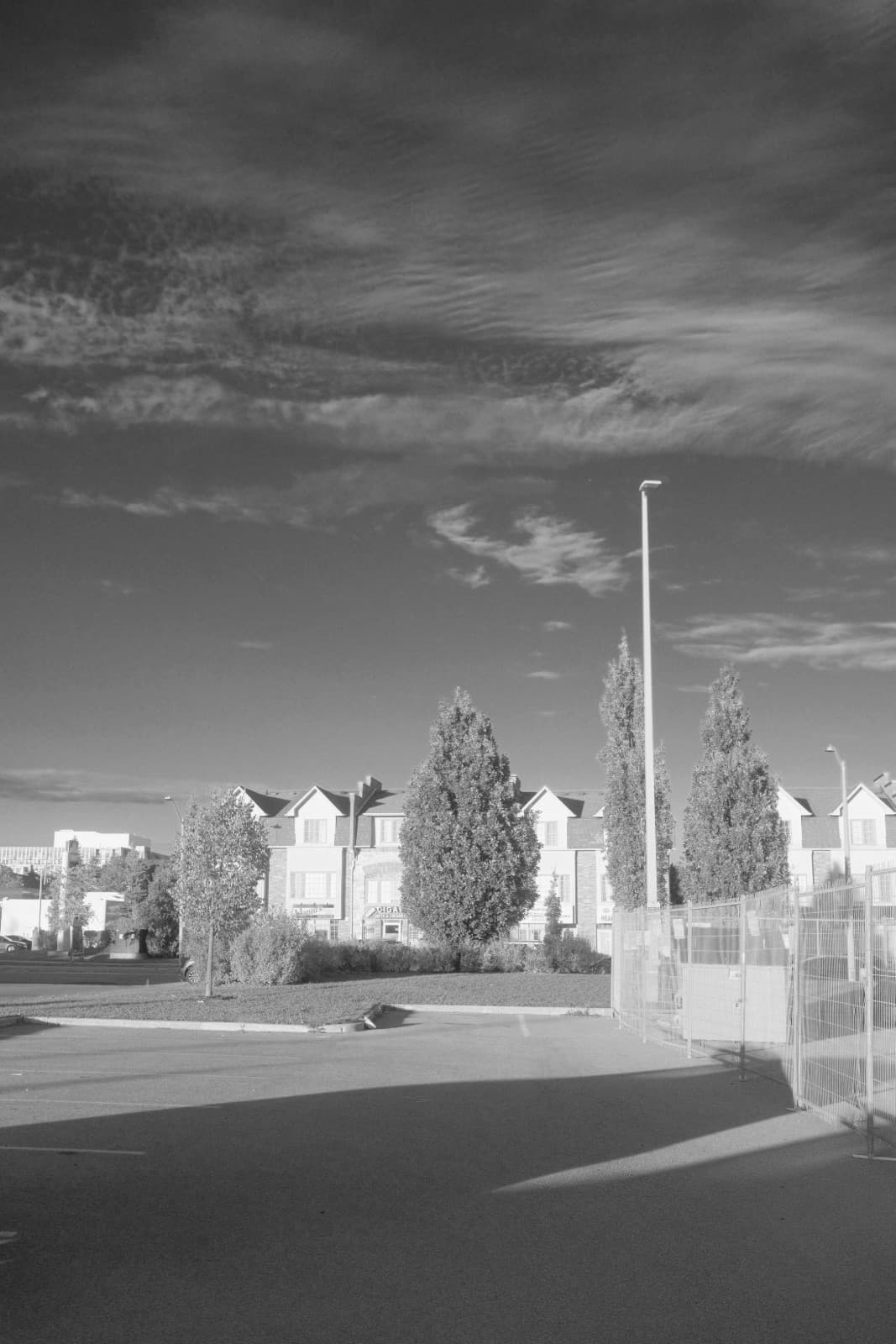
Tone Caliper lets you decide how each color becomes tone. Darken blues for a heavier sky. Lift greens for brighter foliage. Separate colors that would otherwise fall into the same gray.
Start with classic filter responses like red, orange, yellow, panchromatic, or orthochromatic. Then fine-tune the image by hand.
Refine saturation, build on a look you love, or add texture with film grain.
Use Color EQ to adjust saturation within a specific hue range. Widen or narrow the range to control how much neighboring colors are affected.
Color EQ (opens in a new tab)The chroma curve lets you adjust colors by how muted or vivid they already are. Bring quieter colors forward while keeping vivid colors steady, or soften faint colors toward neutral.
Chroma curve (opens in a new tab)Use color variance to bring similar hues closer together or spread them apart. Even out skin tones or give autumn foliage more color separation, all with one slider.
Color variance (opens in a new tab)Drop a .cube LUT onto the color wheel, adjust its strength, and refine the colors to suit your photo. You can also open a video clip, pick a frame, and grade it just like a photo. Export your look as a LUT for your video editor.
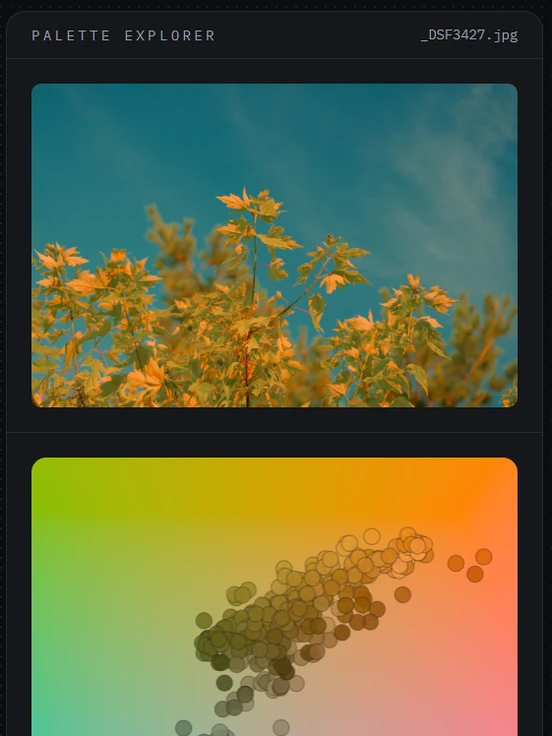
LUT export (opens in a new tab)Drop a reference image onto the wheel to see its palette alongside your photo’s. Compare the colors, then move your own toward the look you have in mind.
Reference images (opens in a new tab)Build texture in the shadows and keep highlights smooth. Start with a preset, then fine-tune the size and intensity, and use the grain curve to set how strongly grain shows across the tonal range.
Film grain (opens in a new tab)Browse looks shared by other photographers, save one in a click, and try it on your own photos.
Use it as a starting point, not a locked preset. Apply the look, then adjust the exact colors that need attention in your image.
Save your own recipes too, and build a small library of looks around the way you edit.
No account to start, nothing uploaded.
For Windows and macOS.
One payment, and every 1.0 update is included at no additional cost.
The 7-day trial is the complete app, so try it before you buy.
Secure checkout by Polar. License key sent to your email.
One payment, and every 1.0 update is included at no additional cost.
The 7-day trial is the complete app, so try it before you buy.
Secure checkout by Polar. License key sent to your email.
One payment, and every 1.0 update is included at no additional cost.
The 7-day trial is the complete app, so try it before you buy.
Secure checkout by Polar. License key sent to your email.
One payment, and every 1.0 update is included at no additional cost.
The 7-day trial is the complete app, so try it before you buy.
Secure checkout by Polar. License key sent to your email.
One payment, and every 1.0 update is included at no additional cost.
The 7-day trial is the complete app, so try it before you buy.
Secure checkout by Polar. License key sent to your email.
One payment, and every 1.0 update is included at no additional cost.
The 7-day trial is the complete app, so try it before you buy.
Secure checkout by Polar. License key sent to your email.
One payment, and every 1.0 update is included at no additional cost.
The 7-day trial is the complete app, so try it before you buy.
Secure checkout by Polar. License key sent to your email.
One payment, and every 1.0 update is included at no additional cost.
The 7-day trial is the complete app, so try it before you buy.
Secure checkout by Polar. License key sent to your email.
One payment, and every 1.0 update is included at no additional cost.
The 7-day trial is the complete app, so try it before you buy.
Secure checkout by Polar. License key sent to your email.
One payment, and every 1.0 update is included at no additional cost.
The 7-day trial is the complete app, so try it before you buy.
Secure checkout by Polar. License key sent to your email.
One payment, and every 1.0 update is included at no additional cost.
The 7-day trial is the complete app, so try it before you buy.
Secure checkout by Polar. License key sent to your email.
One payment, and every 1.0 update is included at no additional cost.
The 7-day trial is the complete app, so try it before you buy.
Secure checkout by Polar. License key sent to your email.
One payment, and every 1.0 update is included at no additional cost.
The 7-day trial is the complete app, so try it before you buy.
Secure checkout by Polar. License key sent to your email.
One payment, and every 1.0 update is included at no additional cost.
The 7-day trial is the complete app, so try it before you buy.
Secure checkout by Polar. License key sent to your email.
One payment, and every 1.0 update is included at no additional cost.
The 7-day trial is the complete app, so try it before you buy.
Secure checkout by Polar. License key sent to your email.
One payment, and every 1.0 update is included at no additional cost.
The 7-day trial is the complete app, so try it before you buy.
Secure checkout by Polar. License key sent to your email.
One payment, and every 1.0 update is included at no additional cost.
The 7-day trial is the complete app, so try it before you buy.
Secure checkout by Polar. License key sent to your email.
One payment, and every 1.0 update is included at no additional cost.
The 7-day trial is the complete app, so try it before you buy.
Secure checkout by Polar. License key sent to your email.
One payment, and every 1.0 update is included at no additional cost.
The 7-day trial is the complete app, so try it before you buy.
Secure checkout by Polar. License key sent to your email.
One payment, and every 1.0 update is included at no additional cost.
The 7-day trial is the complete app, so try it before you buy.
Secure checkout by Polar. License key sent to your email.
One payment, and every 1.0 update is included at no additional cost.
The 7-day trial is the complete app, so try it before you buy.
Secure checkout by Polar. License key sent to your email.
One payment, and every 1.0 update is included at no additional cost.
The 7-day trial is the complete app, so try it before you buy.
Secure checkout by Polar. License key sent to your email.
Interactive color wheel (opens in a new tab) — Select and move your photo’s colors directly on the wheel.
Live color wheel (opens in a new tab) — Watch your photo’s colors move on the wheel as you adjust your grade.
RAW editing (opens in a new tab) — Work directly with your camera’s RAW files.
Black and white (opens in a new tab) — Shape how each color becomes a shade of gray.
Tone controls (opens in a new tab) — Shape exposure, brightness, highlights, and midtones with curves and sliders.
Linear and radial masks (opens in a new tab) — Grade specific areas of your photo with precision.
Luminance selection (opens in a new tab) — Treat the same color differently in shadows, midtones, and highlights.
Color EQ (opens in a new tab) — Fine-tune saturation within individual hue ranges.
Chroma curve (opens in a new tab) — Adjust muted and vivid colors independently.
Color variance (opens in a new tab) — Bring similar hues closer together for more uniform color, or spread them apart for greater color separation.
Film grain (opens in a new tab) — Shape texture with grain presets, size, intensity, and tonal controls.
LUT import and export (opens in a new tab) — Customize existing looks and export grades for your video editor.
Reference images (opens in a new tab) — Drop an image onto the wheel to see its colors alongside your photo’s.
Personal recipes (opens in a new tab) — Save your look and apply it to other photos.
Community recipes (opens in a new tab) — Explore looks from other photographers and make them your own.
Photo culling (opens in a new tab) — Pick, reject, rate, and color-label your photos.
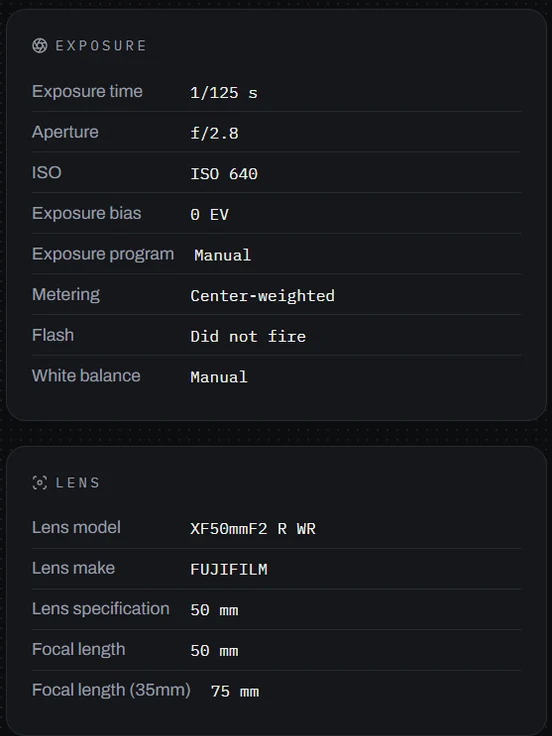
Photography insights (opens in a new tab) — Discover patterns in your shooting, editing, and gear use.
Borders and frames (opens in a new tab) — Add a finishing touch when you export.
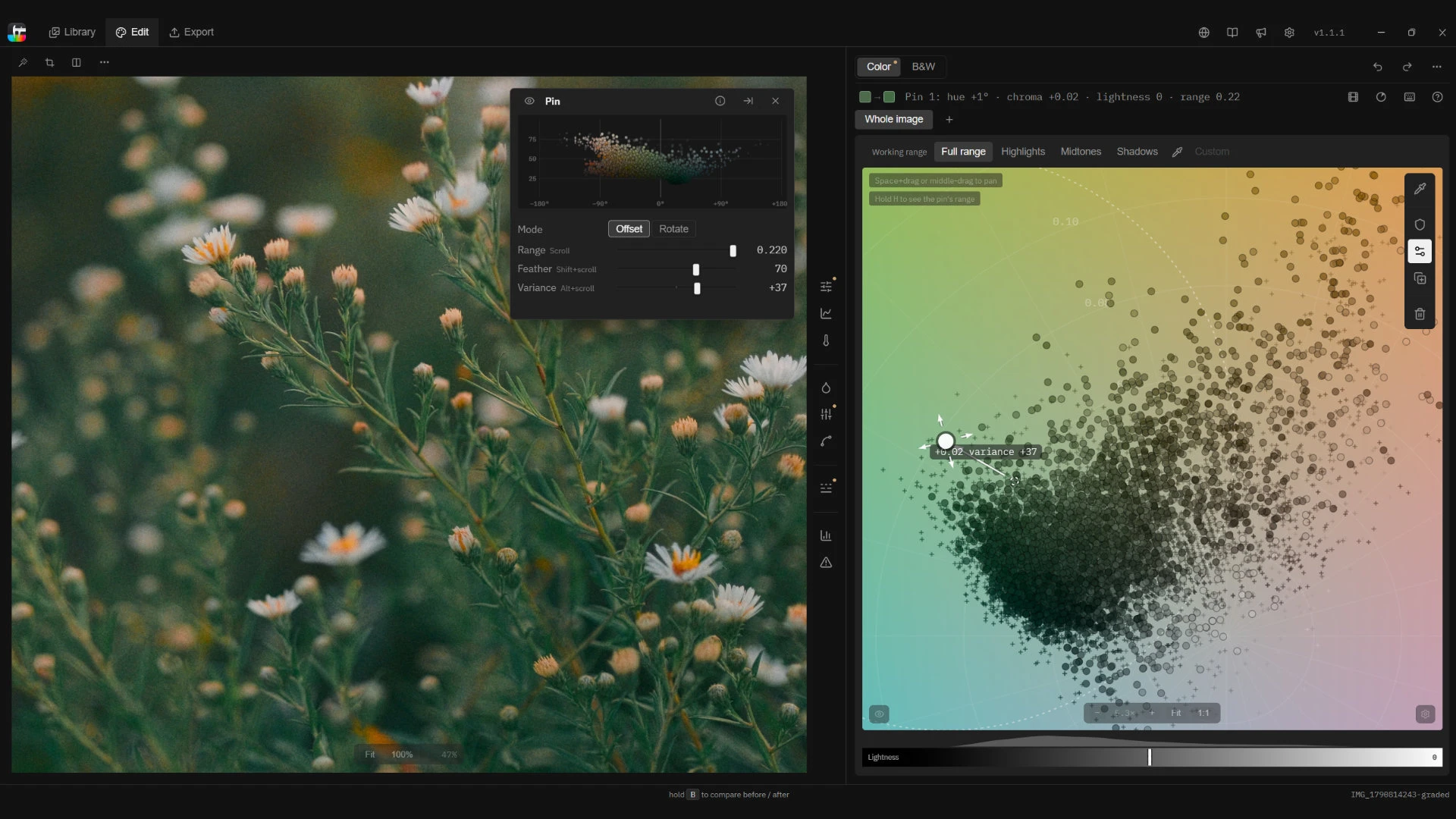
Choose exactly which colors your edit reaches. Fine-tune the range and softness, then bring similar hues together or spread them apart for greater color separation.
Balance light and contrast, then fine-tune individual colors with Color EQ. Keep your tools beside the wheel or float them over the photo to work where your attention is.
Bring out subtle color differences in flowers and foliage, or bring similar hues together for more uniform skin tones. Adjust color variance without changing brightness.
Carry your look across a photo series or into your next film. Save it as a recipe for other photos, or export a LUT to use in your video editor.
Screenshot 1 of 4: Choose exactly which colors your edit reaches. Fine-tune the range and softness, then bring similar hues together or spread them apart for greater color separation.
JPEG, PNG, TIFF, HEIF, and camera RAW — Canon, Nikon, Sony, Fujifilm, Panasonic, Olympus/OM System, Pentax, and Adobe DNG (including Apple ProRAW, Ricoh GR, and DJI).
No. Your originals are read-only — never moved, renamed, or overwritten. Every edit is stored separately in a single catalog file you control, so you can rework or reset any photo, any time.
Yes. Tone Caliper reads the folders you already have and changes nothing on disk, so it sits beside whatever you use now. Think of it as a non-destructive color finisher: point it at a shoot, grade or convert to black and white, and export.
Tone Caliper is a one-time $39 USD, no subscription. Every 1.0 update is included. The 7-day trial is the full app, editing and export included, so you can try everything first. After you buy, a license key arrives by email and on the confirmation page; paste it into the app to unlock it.
Tone Caliper is a one-time $55 AUD, no subscription. Every 1.0 update is included. The 7-day trial is the full app, editing and export included, so you can try everything first. After you buy, a license key arrives by email and on the confirmation page; paste it into the app to unlock it.
Tone Caliper is a one-time 99 BRL, no subscription. Every 1.0 update is included. The 7-day trial is the full app, editing and export included, so you can try everything first. After you buy, a license key arrives by email and on the confirmation page; paste it into the app to unlock it.
Tone Caliper is a one-time $49 CAD, no subscription. Every 1.0 update is included. The 7-day trial is the full app, editing and export included, so you can try everything first. After you buy, a license key arrives by email and on the confirmation page; paste it into the app to unlock it.
Tone Caliper is a one-time 36 CHF, no subscription. Every 1.0 update is included. The 7-day trial is the full app, editing and export included, so you can try everything first. After you buy, a license key arrives by email and on the confirmation page; paste it into the app to unlock it.
Tone Caliper is a one-time 679 CZK, no subscription. Every 1.0 update is included. The 7-day trial is the full app, editing and export included, so you can try everything first. After you buy, a license key arrives by email and on the confirmation page; paste it into the app to unlock it.
Tone Caliper is a one-time 295 DKK, no subscription. Every 1.0 update is included. The 7-day trial is the full app, editing and export included, so you can try everything first. After you buy, a license key arrives by email and on the confirmation page; paste it into the app to unlock it.
Tone Caliper is a one-time €39 EUR, no subscription. Every 1.0 update is included. The 7-day trial is the full app, editing and export included, so you can try everything first. After you buy, a license key arrives by email and on the confirmation page; paste it into the app to unlock it.
Tone Caliper is a one-time £32 GBP, no subscription. Every 1.0 update is included. The 7-day trial is the full app, editing and export included, so you can try everything first. After you buy, a license key arrives by email and on the confirmation page; paste it into the app to unlock it.
Tone Caliper is a one-time 9,990 HUF, no subscription. Every 1.0 update is included. The 7-day trial is the full app, editing and export included, so you can try everything first. After you buy, a license key arrives by email and on the confirmation page; paste it into the app to unlock it.
Tone Caliper is a one-time 319,000 IDR, no subscription. Every 1.0 update is included. The 7-day trial is the full app, editing and export included, so you can try everything first. After you buy, a license key arrives by email and on the confirmation page; paste it into the app to unlock it.
Tone Caliper is a one-time ₹1,999 INR, no subscription. Every 1.0 update is included. The 7-day trial is the full app, editing and export included, so you can try everything first. After you buy, a license key arrives by email and on the confirmation page; paste it into the app to unlock it.
Tone Caliper is a one-time ¥5,480 JPY, no subscription. Every 1.0 update is included. The 7-day trial is the full app, editing and export included, so you can try everything first. After you buy, a license key arrives by email and on the confirmation page; paste it into the app to unlock it.
Tone Caliper is a one-time ₩49,000 KRW, no subscription. Every 1.0 update is included. The 7-day trial is the full app, editing and export included, so you can try everything first. After you buy, a license key arrives by email and on the confirmation page; paste it into the app to unlock it.
Tone Caliper is a one-time $699 MXN, no subscription. Every 1.0 update is included. The 7-day trial is the full app, editing and export included, so you can try everything first. After you buy, a license key arrives by email and on the confirmation page; paste it into the app to unlock it.
Tone Caliper is a one-time 419 NOK, no subscription. Every 1.0 update is included. The 7-day trial is the full app, editing and export included, so you can try everything first. After you buy, a license key arrives by email and on the confirmation page; paste it into the app to unlock it.
Tone Caliper is a one-time ₱1,099 PHP, no subscription. Every 1.0 update is included. The 7-day trial is the full app, editing and export included, so you can try everything first. After you buy, a license key arrives by email and on the confirmation page; paste it into the app to unlock it.
Tone Caliper is a one-time 119 PLN, no subscription. Every 1.0 update is included. The 7-day trial is the full app, editing and export included, so you can try everything first. After you buy, a license key arrives by email and on the confirmation page; paste it into the app to unlock it.
Tone Caliper is a one-time 439 SEK, no subscription. Every 1.0 update is included. The 7-day trial is the full app, editing and export included, so you can try everything first. After you buy, a license key arrives by email and on the confirmation page; paste it into the app to unlock it.
Tone Caliper is a one-time $49 SGD, no subscription. Every 1.0 update is included. The 7-day trial is the full app, editing and export included, so you can try everything first. After you buy, a license key arrives by email and on the confirmation page; paste it into the app to unlock it.
Tone Caliper is a one-time ฿679 THB, no subscription. Every 1.0 update is included. The 7-day trial is the full app, editing and export included, so you can try everything first. After you buy, a license key arrives by email and on the confirmation page; paste it into the app to unlock it.
Tone Caliper is a one-time $949 TWD, no subscription. Every 1.0 update is included. The 7-day trial is the full app, editing and export included, so you can try everything first. After you buy, a license key arrives by email and on the confirmation page; paste it into the app to unlock it.
Yes — students pay $23.40 USD (40% off), a one-time purchase. Enter your institution-issued email on the students page and click the confirmation link we send to get your personal code. If your institution isn’t recognized, we’ll review your request, usually within 1–2 days. Each code can be used once.
Yes — students pay $33 AUD (40% off), a one-time purchase. Enter your institution-issued email on the students page and click the confirmation link we send to get your personal code. If your institution isn’t recognized, we’ll review your request, usually within 1–2 days. Each code can be used once.
Yes — students pay 59.40 BRL (40% off), a one-time purchase. Enter your institution-issued email on the students page and click the confirmation link we send to get your personal code. If your institution isn’t recognized, we’ll review your request, usually within 1–2 days. Each code can be used once.
Yes — students pay $29.40 CAD (40% off), a one-time purchase. Enter your institution-issued email on the students page and click the confirmation link we send to get your personal code. If your institution isn’t recognized, we’ll review your request, usually within 1–2 days. Each code can be used once.
Yes — students pay 21.60 CHF (40% off), a one-time purchase. Enter your institution-issued email on the students page and click the confirmation link we send to get your personal code. If your institution isn’t recognized, we’ll review your request, usually within 1–2 days. Each code can be used once.
Yes — students pay 407.40 CZK (40% off), a one-time purchase. Enter your institution-issued email on the students page and click the confirmation link we send to get your personal code. If your institution isn’t recognized, we’ll review your request, usually within 1–2 days. Each code can be used once.
Yes — students pay 177 DKK (40% off), a one-time purchase. Enter your institution-issued email on the students page and click the confirmation link we send to get your personal code. If your institution isn’t recognized, we’ll review your request, usually within 1–2 days. Each code can be used once.
Yes — students pay €23.40 EUR (40% off), a one-time purchase. Enter your institution-issued email on the students page and click the confirmation link we send to get your personal code. If your institution isn’t recognized, we’ll review your request, usually within 1–2 days. Each code can be used once.
Yes — students pay £19.20 GBP (40% off), a one-time purchase. Enter your institution-issued email on the students page and click the confirmation link we send to get your personal code. If your institution isn’t recognized, we’ll review your request, usually within 1–2 days. Each code can be used once.
Yes — students pay 5,994 HUF (40% off), a one-time purchase. Enter your institution-issued email on the students page and click the confirmation link we send to get your personal code. If your institution isn’t recognized, we’ll review your request, usually within 1–2 days. Each code can be used once.
Yes — students pay 191,400 IDR (40% off), a one-time purchase. Enter your institution-issued email on the students page and click the confirmation link we send to get your personal code. If your institution isn’t recognized, we’ll review your request, usually within 1–2 days. Each code can be used once.
Yes — students pay ₹1,199.40 INR (40% off), a one-time purchase. Enter your institution-issued email on the students page and click the confirmation link we send to get your personal code. If your institution isn’t recognized, we’ll review your request, usually within 1–2 days. Each code can be used once.
Yes — students pay ¥3,288 JPY (40% off), a one-time purchase. Enter your institution-issued email on the students page and click the confirmation link we send to get your personal code. If your institution isn’t recognized, we’ll review your request, usually within 1–2 days. Each code can be used once.
Yes — students pay ₩29,400 KRW (40% off), a one-time purchase. Enter your institution-issued email on the students page and click the confirmation link we send to get your personal code. If your institution isn’t recognized, we’ll review your request, usually within 1–2 days. Each code can be used once.
Yes — students pay $419.40 MXN (40% off), a one-time purchase. Enter your institution-issued email on the students page and click the confirmation link we send to get your personal code. If your institution isn’t recognized, we’ll review your request, usually within 1–2 days. Each code can be used once.
Yes — students pay 251.40 NOK (40% off), a one-time purchase. Enter your institution-issued email on the students page and click the confirmation link we send to get your personal code. If your institution isn’t recognized, we’ll review your request, usually within 1–2 days. Each code can be used once.
Yes — students pay ₱659.40 PHP (40% off), a one-time purchase. Enter your institution-issued email on the students page and click the confirmation link we send to get your personal code. If your institution isn’t recognized, we’ll review your request, usually within 1–2 days. Each code can be used once.
Yes — students pay 71.40 PLN (40% off), a one-time purchase. Enter your institution-issued email on the students page and click the confirmation link we send to get your personal code. If your institution isn’t recognized, we’ll review your request, usually within 1–2 days. Each code can be used once.
Yes — students pay 263.40 SEK (40% off), a one-time purchase. Enter your institution-issued email on the students page and click the confirmation link we send to get your personal code. If your institution isn’t recognized, we’ll review your request, usually within 1–2 days. Each code can be used once.
Yes — students pay $29.40 SGD (40% off), a one-time purchase. Enter your institution-issued email on the students page and click the confirmation link we send to get your personal code. If your institution isn’t recognized, we’ll review your request, usually within 1–2 days. Each code can be used once.
Yes — students pay ฿407.40 THB (40% off), a one-time purchase. Enter your institution-issued email on the students page and click the confirmation link we send to get your personal code. If your institution isn’t recognized, we’ll review your request, usually within 1–2 days. Each code can be used once.
Yes — students pay $569.40 TWD (40% off), a one-time purchase. Enter your institution-issued email on the students page and click the confirmation link we send to get your personal code. If your institution isn’t recognized, we’ll review your request, usually within 1–2 days. Each code can be used once.
Tone Caliper runs on 64-bit Windows 10 and 11, and on Apple silicon Macs running macOS 26 Tahoe or later.
A separate iPad app is available through the App Store. Explore Tone Caliper for iPad →
Shape your photo’s colors directly on the wheel with touch and Apple Pencil. Tone Caliper for iPad brings hands-on color grading to wherever you like to edit.
Available separately through the App Store.
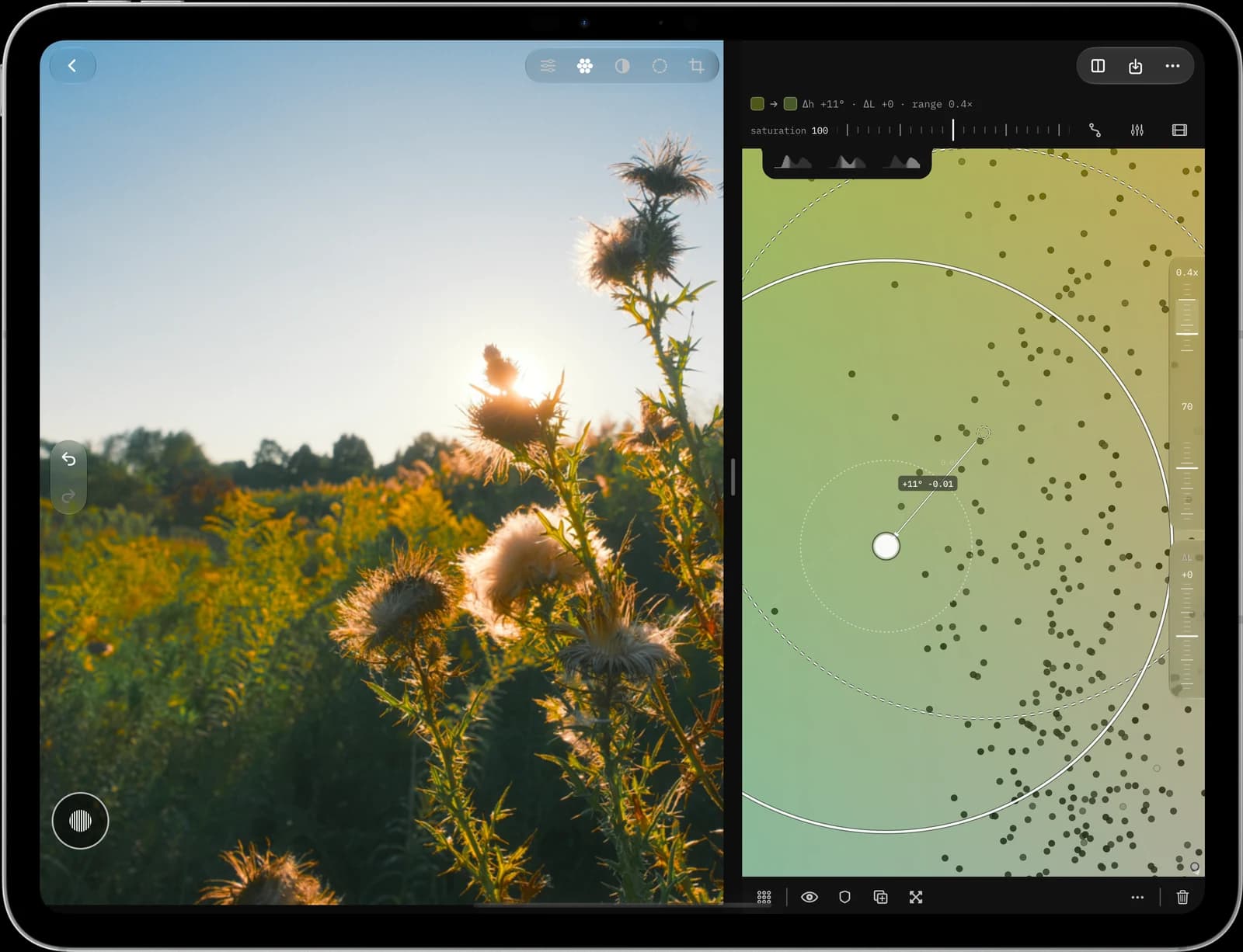
 New · Companion app
Right-click a photo to explore its camera settings, color, and light. Compare shots, pick or reject images, and add star ratings and color labels directly in your folders.
Carry your selections into Lightroom Classic, Capture One, and other compatible editors through Lightroom sync or XMP sidecars.
For Windows and macOS. Sold separately. Free to try for 7 days.
Free and browser-based. Nothing you open leaves your device.
Browse all tools →